Image To Image
Why Use KONZ for AI Image Editing?

Top Models, One Place
KONZ brings together leading image-to-image models in one workflow, so you can edit, refine, and iterate on existing images seamlessly — all in one place.

Always Up to Date
New models and improvements roll out constantly. KONZ automatically tracks releases, runs quality checks, and integrates the best versions, so you always have instant access to the latest image-editing capabilities, with no setup required.

Full Creative Control
Fine-tune every detail. Choose your model, control aspect ratios, and guide edits with simple instructions or detailed prompts. Whether you're making subtle adjustments or major visual changes, KONZ helps your edits stay aligned with your intent.
Which AI Image Model Is Right for You?
Not all image models are built the same. Whether you’re editing an existing image, refining details, or generating variations from a reference, each model has a distinct strength — here’s how they compare.
| Dimension | GPT Image | Seedream | Qwen Image Edit | Nano Banana Pro |
|---|---|---|---|---|
| Style Transfer | Good | Excellent | Good | Good |
| Inpainting / Local Repair | Good | Good | Excellent | Good |
| Text in Image Editing | Excellent (multilingual) | Good | Excellent (bilingual) | Good |
| Product Photo Retouching | Good | Good | Good | Good |
| Multi-turn Conversational Editing | Good | Good | Moderate | Excellent |
3 Simple Steps to Transform Your Image
From your base image to a stunning new visual in seconds. Here's how KONZ works:
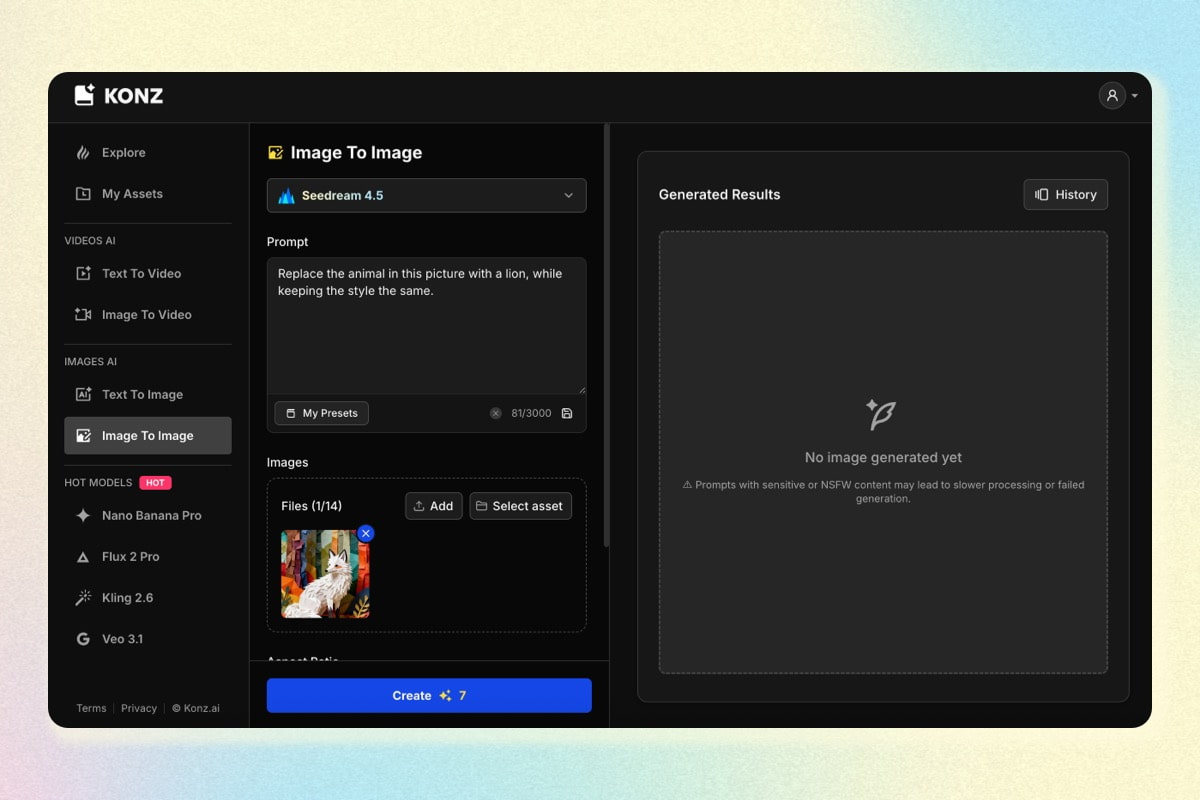
1. Upload an Image & Add a Prompt
Upload your base image and write a prompt describing the new details or changes you want to see.
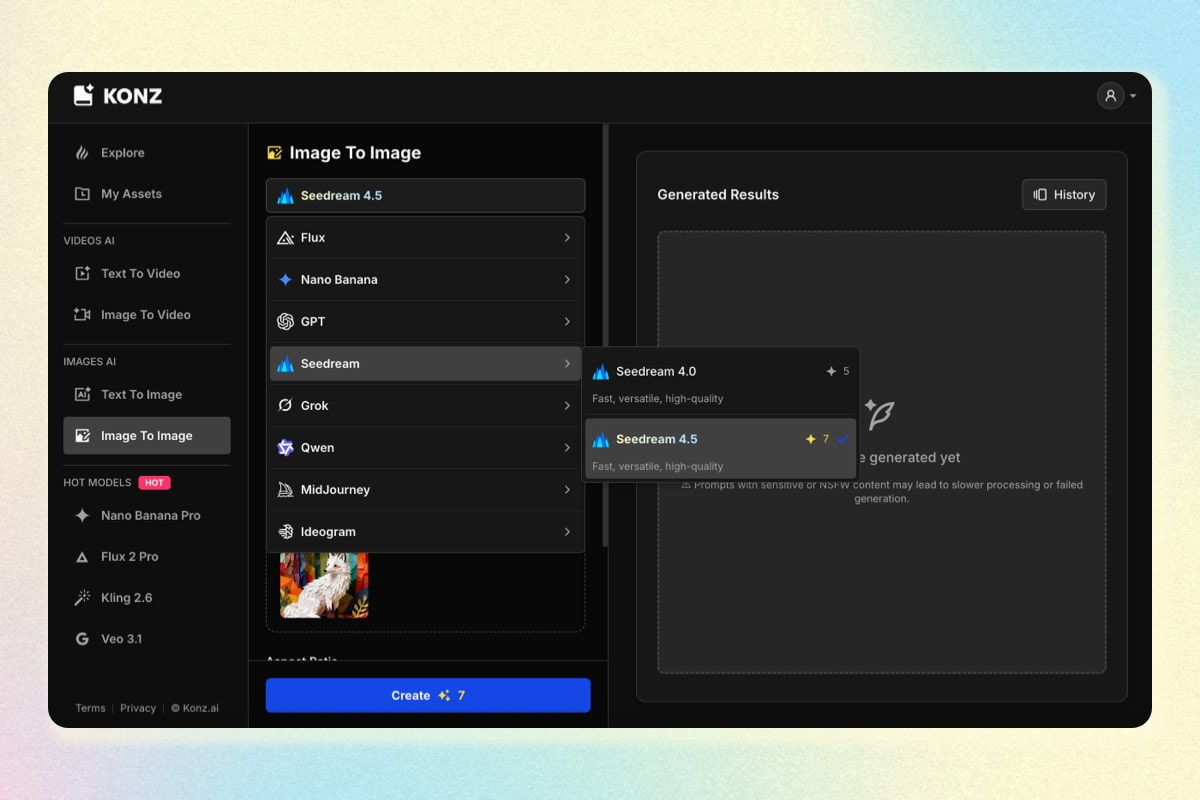
2. Choose model & settings
Select the model that fits your needs, then adjust aspect ratio, resolution, and other image settings.
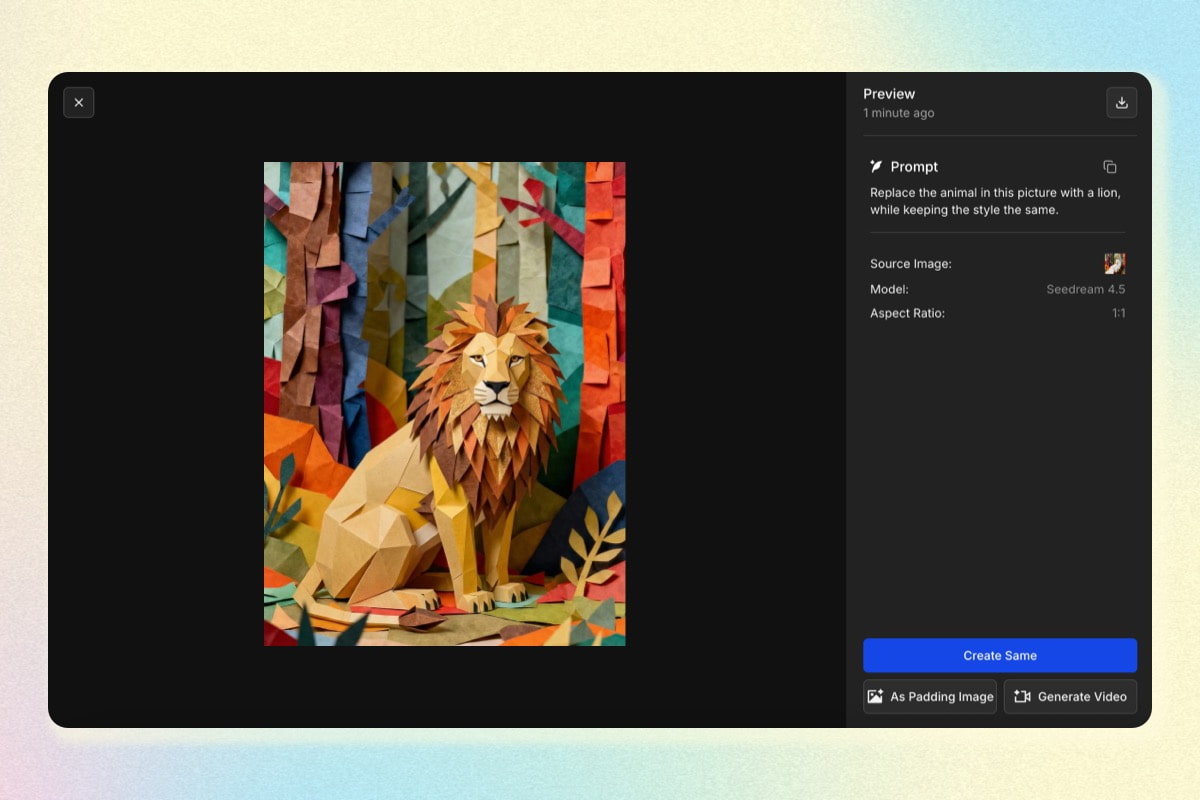
3. Download and Use Anywhere
Save your images in full resolution and use them anywhere you need.